

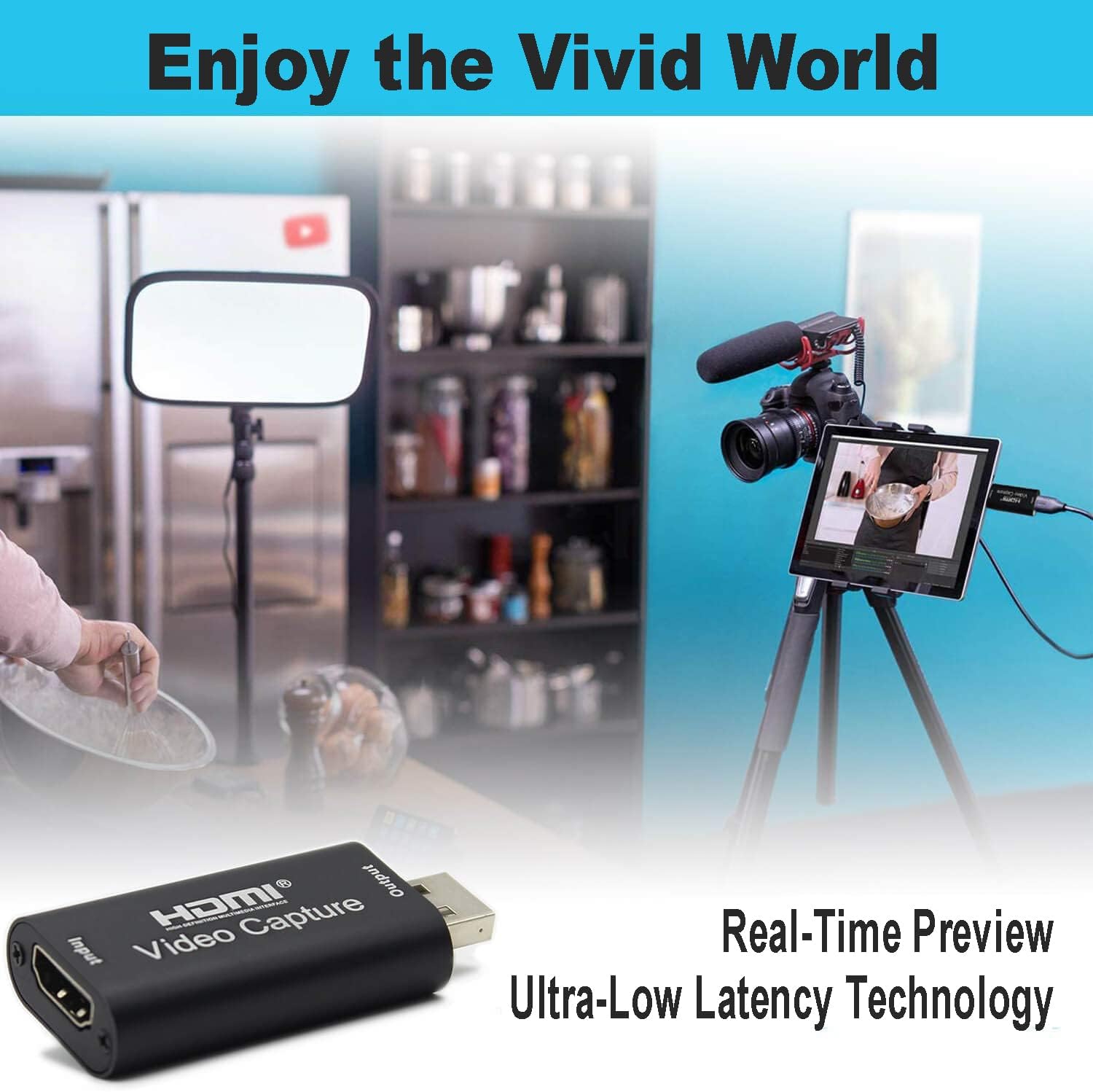
HDMI to USB Video Capture Card 1080P for Live Video Streaming Record Via DSLR Camcorder Action Cam
Product details
| Management number | 218502624 | Release Date | 2026/05/03 | List Price | US$47.07 | Model Number | 218502624 | ||
|---|---|---|---|---|---|---|---|---|---|
| Category | |||||||||
HDMI resolution: 3840×2160@30Hz Support video format: 8/10/12bit Deep color Video output format: YUV/JPEG Video output resolution: 1920×1080@30Hz Support audio format: L-PCM Input cable distance: ≤15m,AWG26 HDMI cable Max working current: 0.4A/5VDC Operating Temperature range: (-10 to +55°℃) Dimension (L × W × H): 64×28×13 (mm) Weight: 21.4g Connection and Operation 1: Connect the UHD signal source to the HDMI input of the video capture with one HDMI cable. 2: Connect the computer to the usb port of the video capture with usb cable. 3: Operation steps for USB video capture(OBS): Open the software→Choose sources of “Video capture Device”→Set the size of image→Choose “Studio Mode”(double window) →Choose “Start Recording”. Operation Example as below: 1. Add new sources, choose “ Video Capture Device ” 2. Set the size of the image. 3. Choose “Studio Mode”(double window). 4. Click “ Start Recording” Package includes 1. Video capture 2. user manual Note: Computer hardware configuration requirements CPU: PC i5-3400 or above ;NB i7-3537U 2.0GHZ or above Graphics card: PC NVIDIA GT630 or above;NC NVIDIA GT735M or above Run memory: 4G RAM
- Support input resolution 4K 60Hz, output resolution 1080P 30Hz
- Easily connect your DSLR, camcorder, or action cam to your PC or Mac
- Real-Time Feedback, Shoot and produce within your favourite tools
- Record videos directly to the hard disk without time delay
- Suitable for high definition acquisition, teaching recording, medical imaging, etc.
| AV Output | YUV |
|---|---|
| Unit Count | 1.0 Count |
| Manufacturer | HGFSGGGREEHY |
| Model Number | f574058b-2704-4f02-8c4c-26e255aaac55 |
| BuiltIn Media | Capture Card, Installation Guide |
| Mfr Part Number | xgLL*7951 |
| Operating System | Windows, Linux |
| Compatible Devices | Camcorder, Camera, Personal Computer |
| Hardware Interface | USB |
| Video Capture Resolution | 1080p |
| Minimum System Requirements | USB port, PC i5-3400 or above CPU, PC NVIDIA GT630 or above graphics card, 4G RAM |




Bestseller ranking
Internal TV Tuner & Capture Cards


Customers who viewed this product also viewed
Drawing



![The Mountain Calls: Purpose, Adversity and The Search for Fulfillment | Poems and Illustrations [Print Replica] Kindle Edition](https://m.media-amazon.com/images/I/61jwBOFEDNL._SL1000_.jpg)

Correction of product information
If you notice any omissions or errors in the product information on this page, please use the correction request form below.
Correction Request Form